The My Guide brand
The same brand appears on every guide in the network. Please follow these guidelines whenever you use the My Guide name, logo or stamp.
Use only the approved logo files
Each destination has its own version of the logo. Right-click a logo to save it, or ask us for the file you need.
 Dark, for light backgrounds
 Light, for dark backgrounds
 Square, for social profiles
 Watermark, for photos
Do
- Use the approved files at their original proportions
- Keep the logo at least 100px wide on screen and 35mm in print
- Give it clear space and place it away from the focal point of a photo
Don't
- Stretch, redraw or recolour the logo
- Add effects, outlines, gradients or shadows
- Place it inside a coloured box or change the letter spacing
Brand colours
- Pink
#E91D62Primary colour, buttons and highlights - Navy
#12263EDark backgrounds and headers - Text
#363C48Body text - Link
#2196F3Links in text - White
#FFFFFFPage background
Lato online, Montserrat on social
Our guides use Lato, designed in 2010 by Łukasz Dziedzic. Use it for headlines and body text on the web and in print.
Social media graphics use Montserrat: Extrabold for titles and Regular for descriptions. Keep text in a container rather than floating it over important parts of a photo.
Aa Bb Cc 123
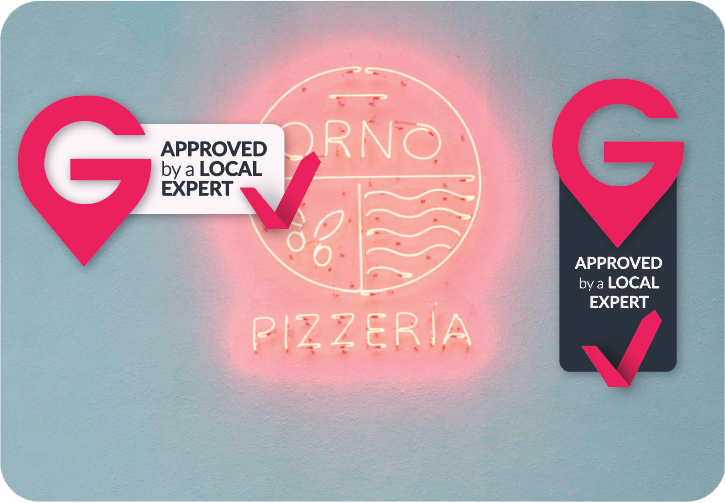
Approved by a Local Expert
The stamp marks photographs of a destination or business that our local community recommends. Apply it to images, not to text, and only where the recommendation is genuine.
Need a file we don't show here?
Ask us for destination logos, vector files or the stamp artwork.
Request brand assets